
Automations
Built-in routines that warm up accounts, post, edit profiles and interact on Instagram, TikTok, X and Threads, on a schedule or every day.

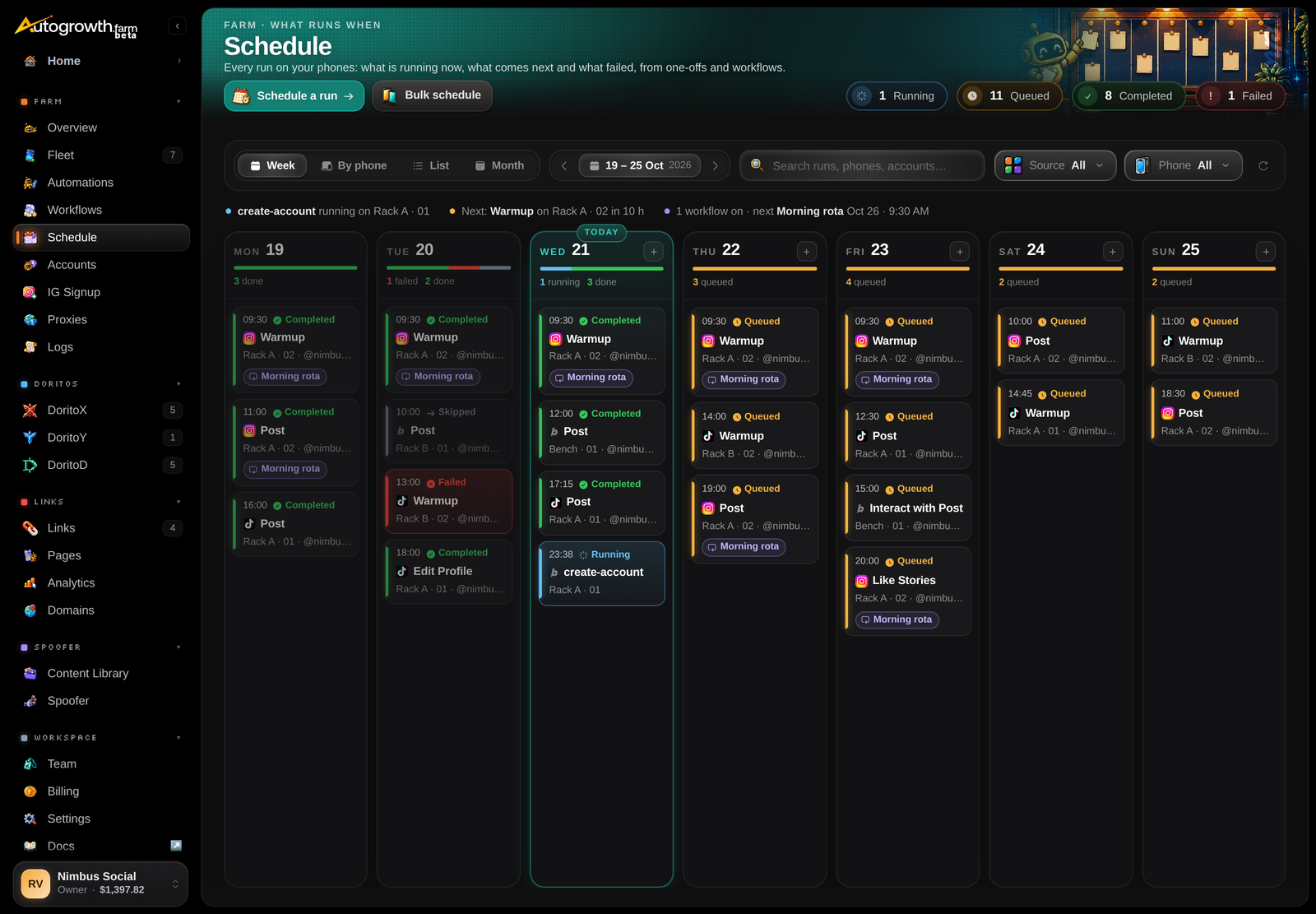
Automations do the repetitive work for you. Pick a routine, such as Warmup, Post or Edit Profile, choose the account and the time, and the phone does it. It opens the real app and taps, scrolls and types through it the way a person would: scrolls vary, it rests between them, and a like or a repost happens by chance rather than on every pass.
You can run one automation now, schedule a hundred for tonight, or build a workflow: a daily routine that runs on its own every day across every account on a phone. The Automations page in the dashboard lists them all, what each one needs, and how its runs have gone.
What they can do
There are more than twenty built-in automations across four apps. The main ones:
| TikTok | X | Threads | ||
|---|---|---|---|---|
| Warmup: scroll the feed (on Instagram, also like, repost if you turn it on, and search a topic on Explore) | ✓ | ✓ | ||
| Post: photos, videos, Reels, Stories | ✓ | Photos | ✓ | ✓ |
| Edit Profile: name, username, bio, picture (on Instagram, also add, change or remove a link) | ✓ | ✓ | ✓ | |
| Interact with a post: like, comment, repost (on TikTok, add to Favorites) | ✓ | ✓ | ✓ | ✓ |
| Search & Engage: search a keyword or scroll the feed, then watch, follow or comment | ✓ | |||
| Like Stories | ✓ | |||
| Log in, with 2FA handled for you | ✓ | ✓ | ✓ | ✓ |
| Switch account | ✓ | ✓ | ✓ | ✓ |
| Account health check: is the account working or blocked? | ✓ |
The media you post comes from your content library. Upload it once and group it into collections. A daily posting routine takes the next fresh item from its collection, and warns you when the collection runs low.
Three ways to run them
Right now
Run one automation on a phone from the Fleet page or the Automations page.
On a schedule
Pick a time, or repeat it, for one account or hundreds at once.
Every day
A workflow repeats a routine daily across every account on a phone.
Every run keeps a record: whether it worked, how long it took, each step it took and, when it failed, the phone's screen at that moment, so you can see where it stopped.
What you need
- An iPhone, regular or jailbroken. Automations on Android phones are coming soon.
- Phone Control on that phone. Automations travel over the same connection as the live screen.
- An automation seat on that phone. Seats come in bundles of 5, so automating 1 to 5 phones costs the same.
Automations work hand in hand with DoritoX and DoritoY. Tie each account to a container, and every run switches the phone into that account's container before it starts. That's how one phone safely posts for many accounts.
How it's billed
Automation seats are sold in bundles of 5 phones, per month, on top of Phone Control. At standard prices a bundle is $129 ($25.80 a phone), dropping to $109 from the 6th bundle and $89 from the 21st. See Pricing.
Good to know
- The list is fixed. You run AutoGrowth's built-in automations. You can't write your own yet.
- Phones must be online. Automations run on your phones through the Companion, so the computer has to stay on.
- X and Threads aren't measured. Follower stats are collected for Instagram and TikTok accounts only. X and Threads accounts can still be automated.
Set it up
Sign in to read the full docs
The setup guides, playbooks, reference and API docs are only open to paying customers.