
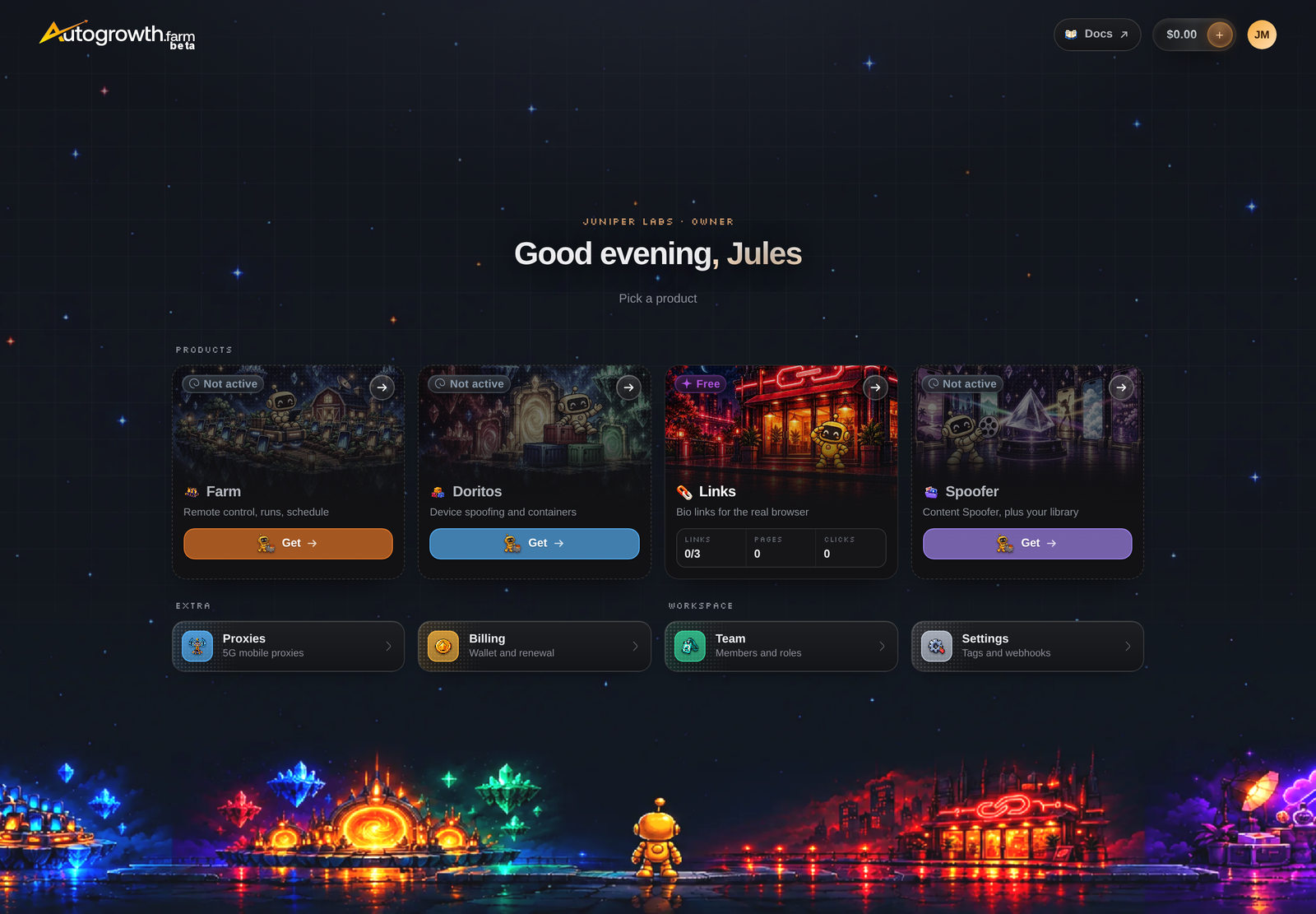
The dashboard
One home for the four products, Farm, Doritos, Links and Spoofer, plus the workspace pages every account gets: proxies, team roles, billing and settings.
The dashboard is where you and your team run everything, from any browser. It costs nothing extra. Every account gets the home screen, Links on its free plan and the workspace pages (Proxies, Team, Billing and Settings). The Farm, Doritos and Spoofer sections each open with the products they serve (see Getting in).
One home, a sidebar per product
The dashboard opens on a home page with a tile for each product: Farm (your phones, accounts, schedules and runs), Doritos (DoritoX, DoritoY and DoritoD), Links and Spoofer (the Content Spoofer, plus your content library). Each tile shows what you hold, such as slots in use or your links against your limit, and a section you don't hold yet offers Get, which opens a checkout with what that section needs. Links is open to everyone from the start, with 3 free links. Below the tiles, Extra (Proxies and Billing) and Workspace (Team and Settings) share one row. These docs open from Docs in the top bar.
Open a product and the sidebar shows that product's pages, with the Workspace group (Proxies, Team, Billing, Settings and Docs) at the bottom. Run logs are in the Farm, under Logs. A page of a section you don't hold shows what it offers and Get instead, and the sidebar marks those pages with a lock. The Farm's sidebar also carries every other product, so you can work across all of them without leaving it. Home at the top of the sidebar goes back to the tiles.
Accounts and stats
In the Farm, add every social account you run, on Instagram, TikTok, X or Threads. For Instagram and TikTok, AutoGrowth tracks followers, growth and profile details on its own servers, so the stats keep updating even when your phones are off.
Tie each account to the phone it lives on, and to its container if the phone has several, and every automation for that account lands in the right place.
Content library and the Spoofer
Upload your photos and videos once, into a library your whole team shares. Group them into collections, for example one per account or one per campaign. Posting automations take their media from here, and you can see at a glance which items are unused, queued, used or posted.
Every Phone Control slot adds 20 GB of storage. The Content Spoofer, a paid product you can buy on its own, turns one photo or video into many unique copies, so each account posts its own file. The Spoofer section opens with any Phone Control slot or with the Content Spoofer.
Links
Short links and landing pages for your bios and stories that open in the phone's real browser instead of the app's built-in one, with an age check, a page for bots and analytics for every link. Links is open to every account, with 3 free links. Use our domains or, with a phone product or a Links pack, your own. See Links.
Scheduling and logs
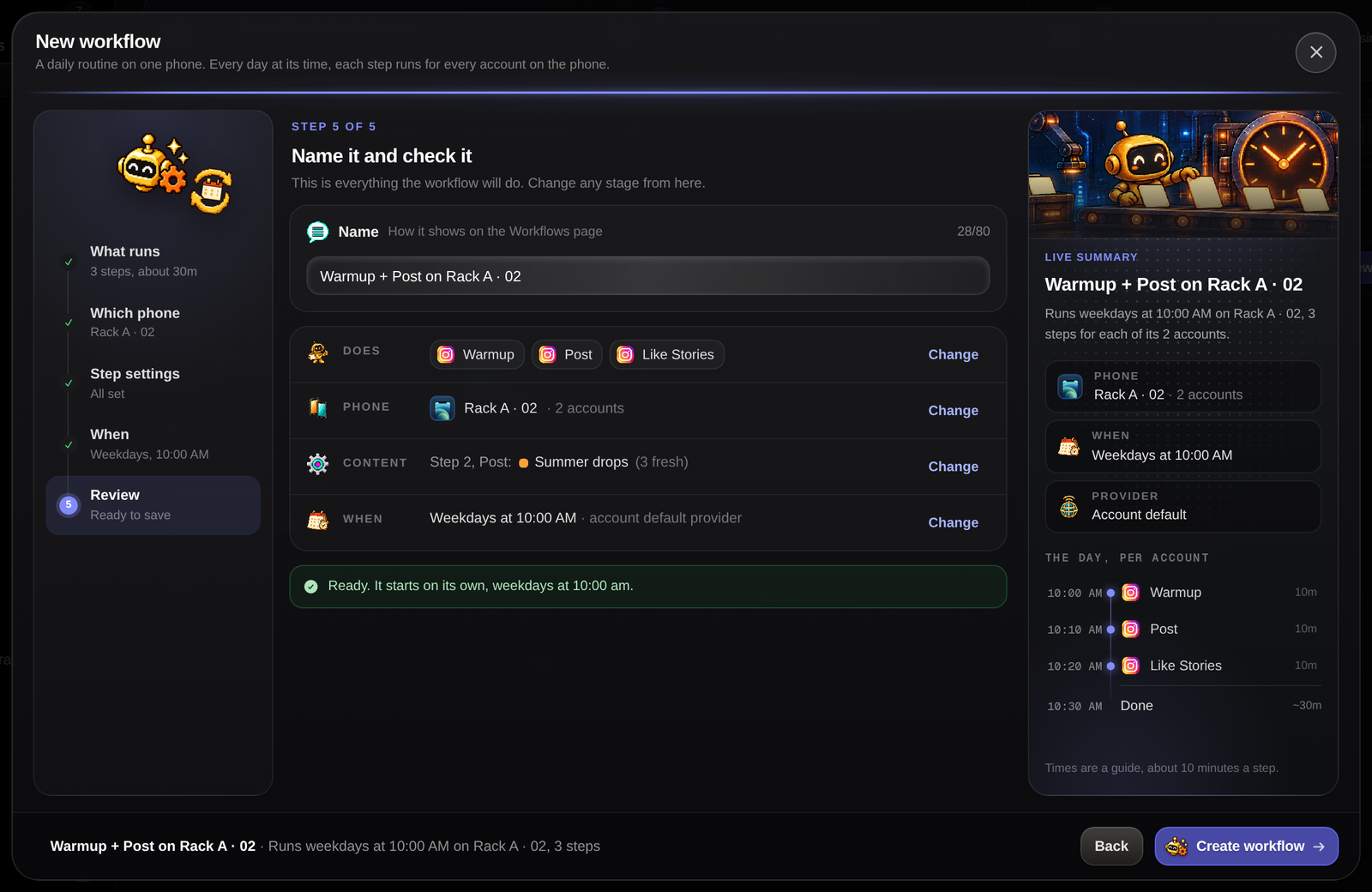
The Farm's Automations page lists every built-in automation as a card: what it does, what it needs and how its runs have gone, with Run now and Schedule on each. Schedule any automation for one account or for hundreds at once, or build daily workflows that repeat on their own. Every run gets its own page: how it went, each step it took and, when it failed, the phone's screen at that moment. You see what happened without touching the phone.
Team and roles
Invite your team into your organization. Give each person a role that decides what they can see and change, from read-only to full control, and create your own roles. Choose which phones each person sees, so a contractor only ever sees the phones they work on.
Billing in one place
Top up credits by card or crypto, buy and remove products, and see your next renewal line by line. See Pricing.
Next
MCP and API
Run your fleet from Claude or your own code.
Choose your setup
Work out which products you need.
Sign in to read the full docs
The setup guides, playbooks, reference and API docs are only open to paying customers.