
Links
Short links and landing pages for your bios and stories that open in the real browser, keep bots away from your destination and count every tap. Free to start.

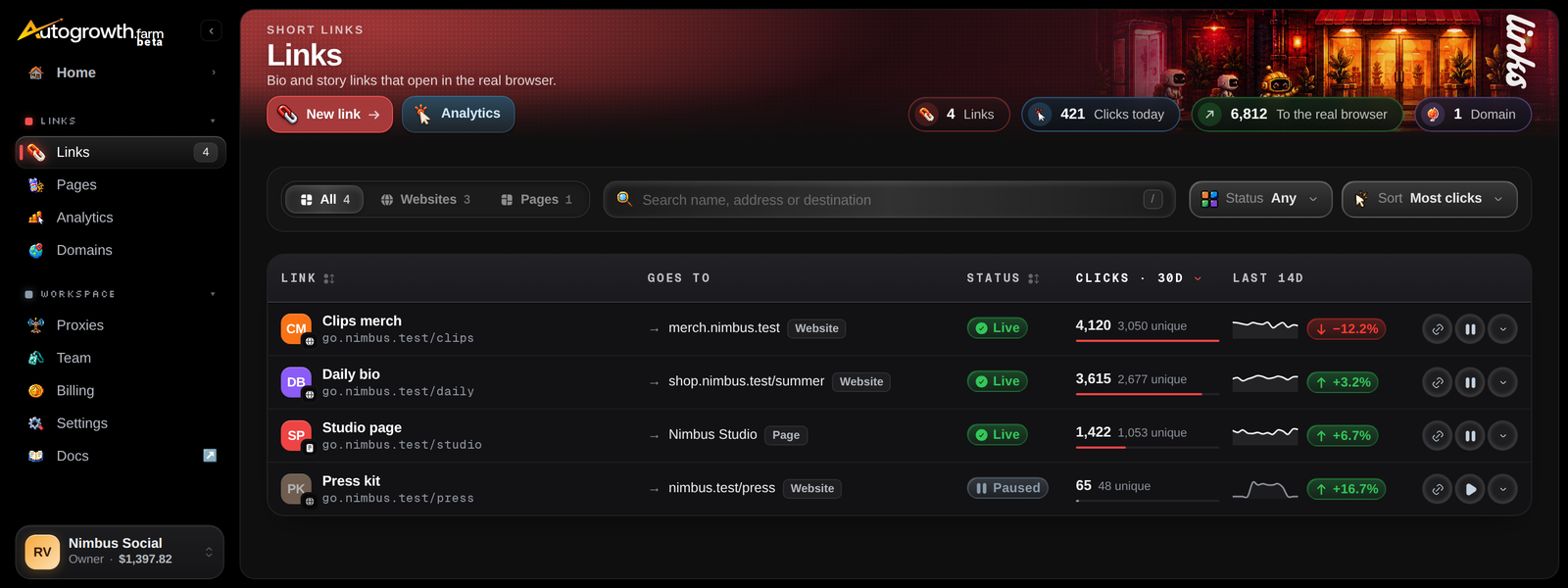
AutoGrowth Links makes short links for your bios, stories and DMs. When someone taps one inside Instagram, TikTok, Threads, Facebook, Snapchat or X, the link moves them out of the app's built-in browser and into Safari or Chrome before it sends them on. Every visit is counted.
Links is one of the four products on the dashboard's home screen, and it's the one that's open to everyone. You get 3 links free the moment you sign up, with nothing to buy.
What you get
- Out of the in-app browser. A visitor inside an app gets a short page that opens your link in Safari on an iPhone or Chrome on Android. If the app blocks the jump, the page shows a button and that app's own steps.
- Bots kept away from your destination. The platforms' link scanners and preview bots get a plain page with your title and preview image, never the destination. You can send them straight through instead. Bots are counted as bots, never as clicks.
- An age check, if you want one, before a visitor reaches a website.
- Landing pages. Link-in-bio pages with a profile, a theme, social icons and up to 50 blocks of links, headings, media and embeds. Every button on a page is counted on its own.
- Analytics. Clicks and unique visitors over any range up to a year, the app people came from, their country and device, bots, and how many left the in-app browser. Split the chart per account or per link, compare up to six links, and see your clicks by hour in your own time zone, with the hour they peak. New visits show up within about 5 minutes.
- Our domains or yours. AutoGrowth domains work with no setup. You can add up to 3
domains of your own, a subdomain like
go.yourbrand.comor a root domain, once you hold a phone product or a Links pack. - From Claude or your code. Links, landing pages and analytics are in the MCP server and the REST API.
How it's billed
Links starts free. Every organization gets 3 links, plus 2 more for each Phone Control slot or DoritoX, DoritoY or DoritoD license it holds. Landing pages share the same limit.
On the free plan, with no phone product and no pack, your landing pages end with a small "Made with … Links" footer and you can't add your own domains. Any phone product or a Links pack removes the footer and lets you add them.
For more links, buy Links packs of 10 links (and 10 landing pages) each. At standard prices a pack costs $4 a month, dropping to $2.50 from the 3rd pack and $1.50 from the 11th. Packs renew with everything else. They raise your allowance but don't open any other section. See Pricing.
Good to know
- Nothing is deleted when you go over. If packs or phones end, your links keep working. New ones wait until you're under the limit again.
- Paused links count toward the limit. Archive a link to free its place; its stats stay.
- Your own domains stay in the dashboard. Claude and the API can list them, but adding and removing them is done in the dashboard.
Where to start
Links in detail
Making links, landing pages, domains, analytics and the limits.
Pricing
Links packs and every other product.
Sign in to read the full docs
The setup guides, playbooks, reference and API docs are only open to paying customers.